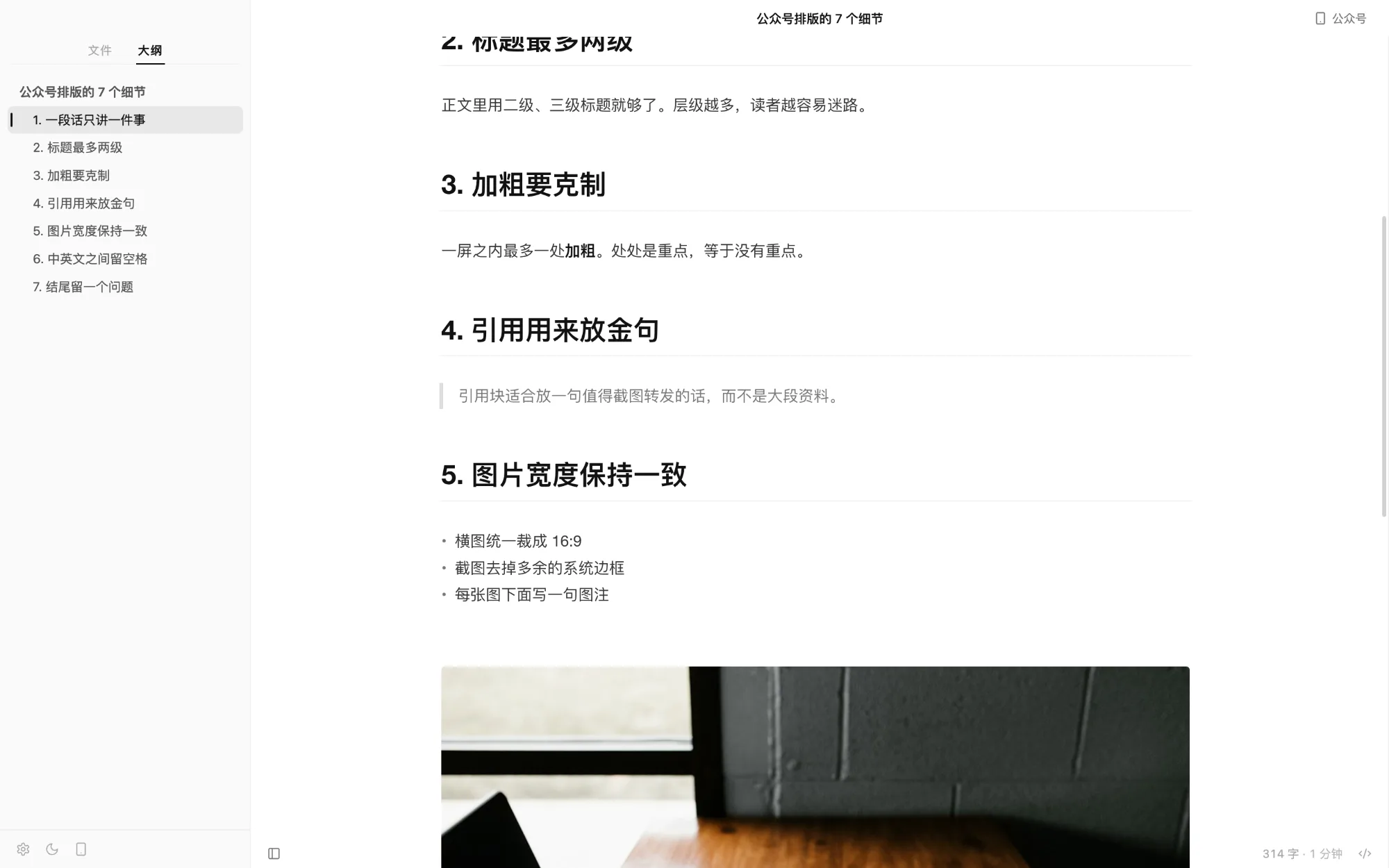
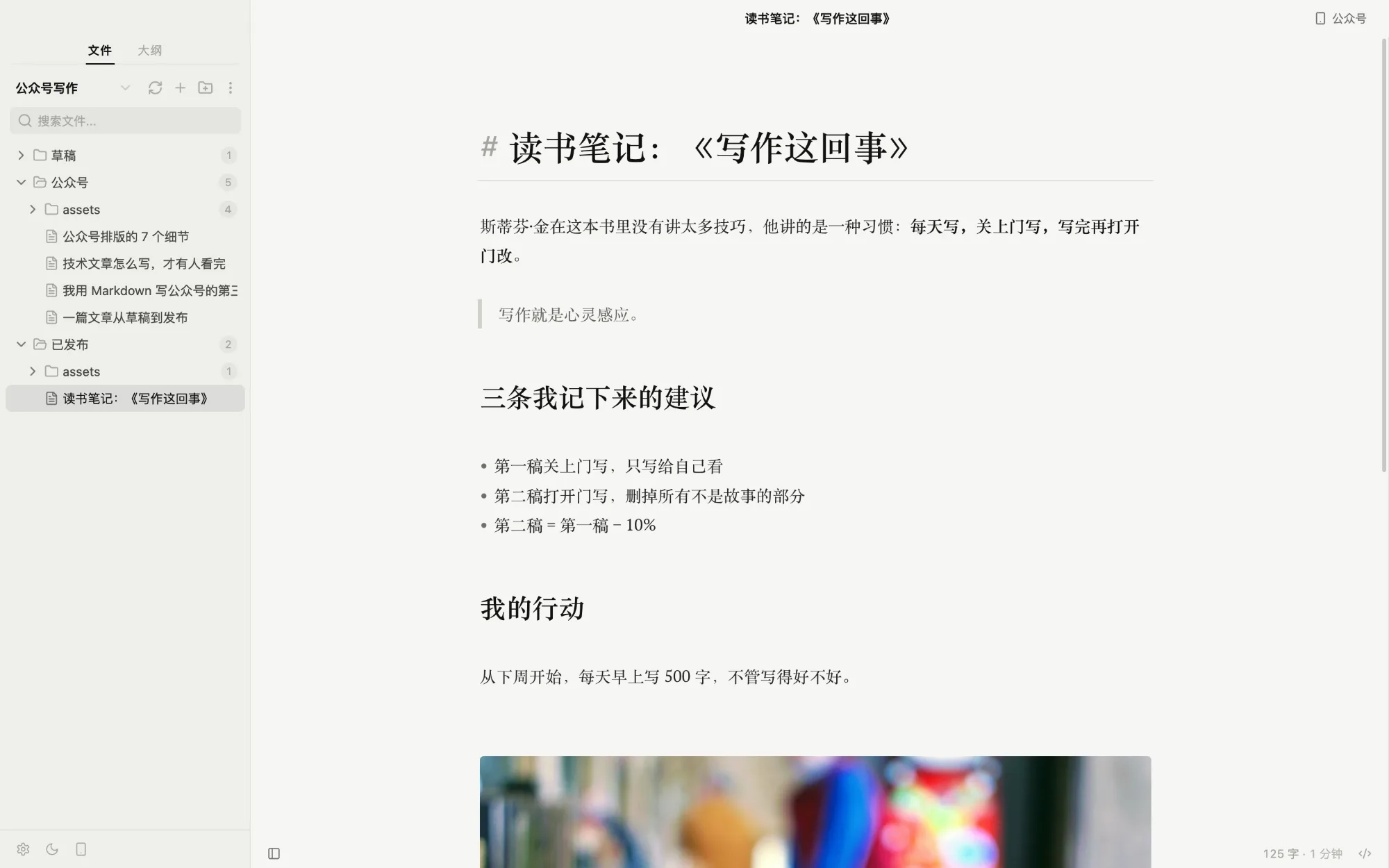
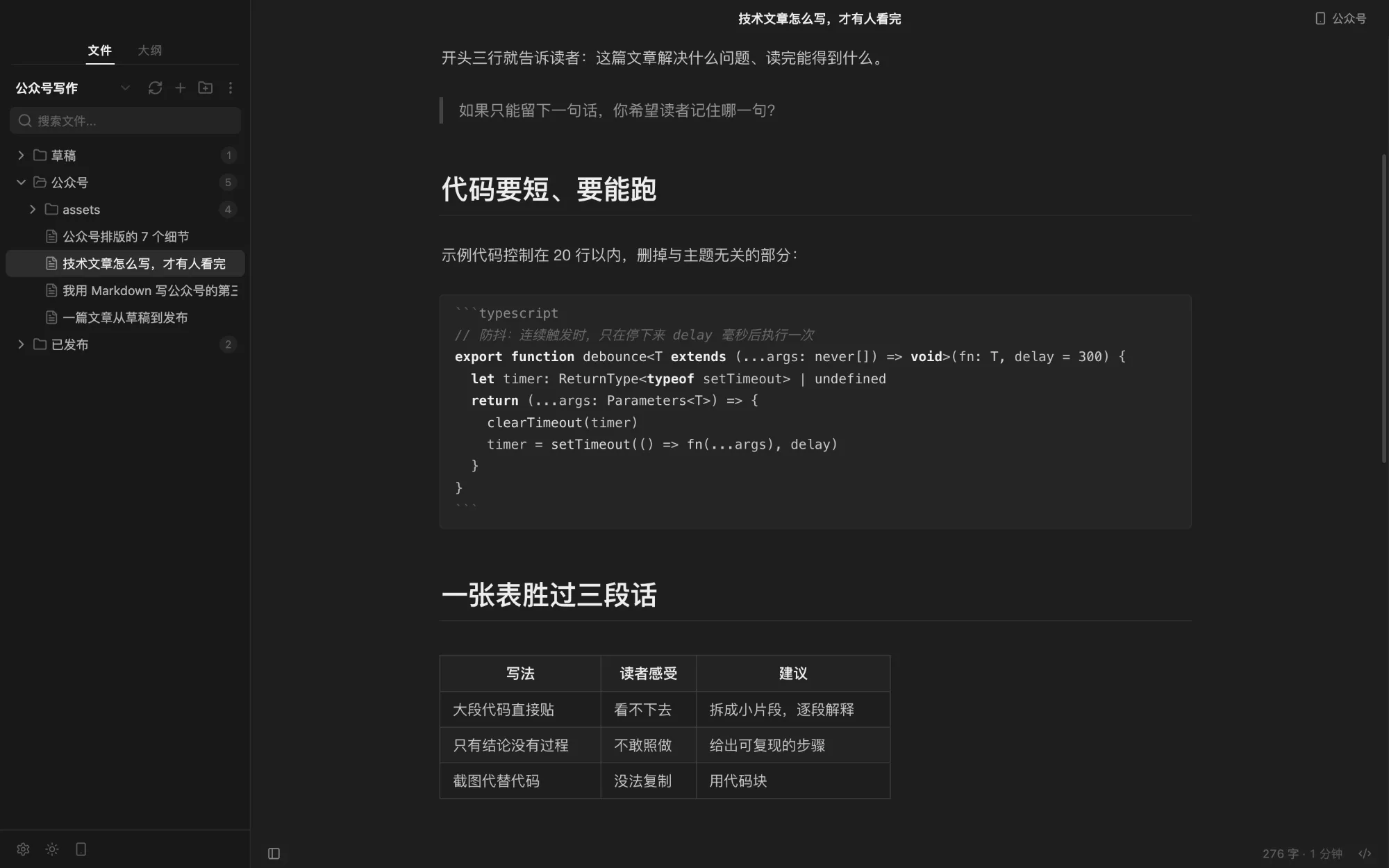
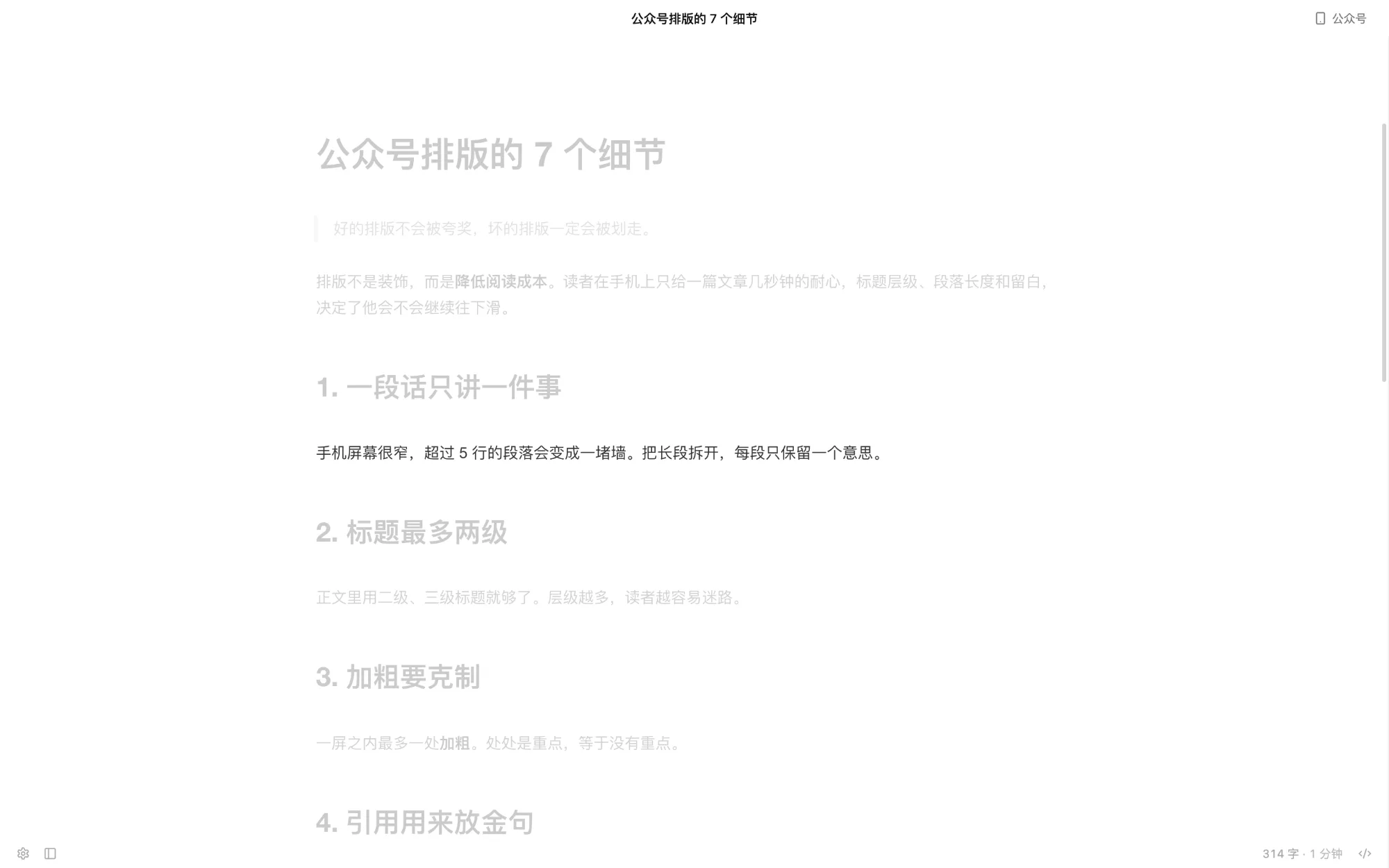
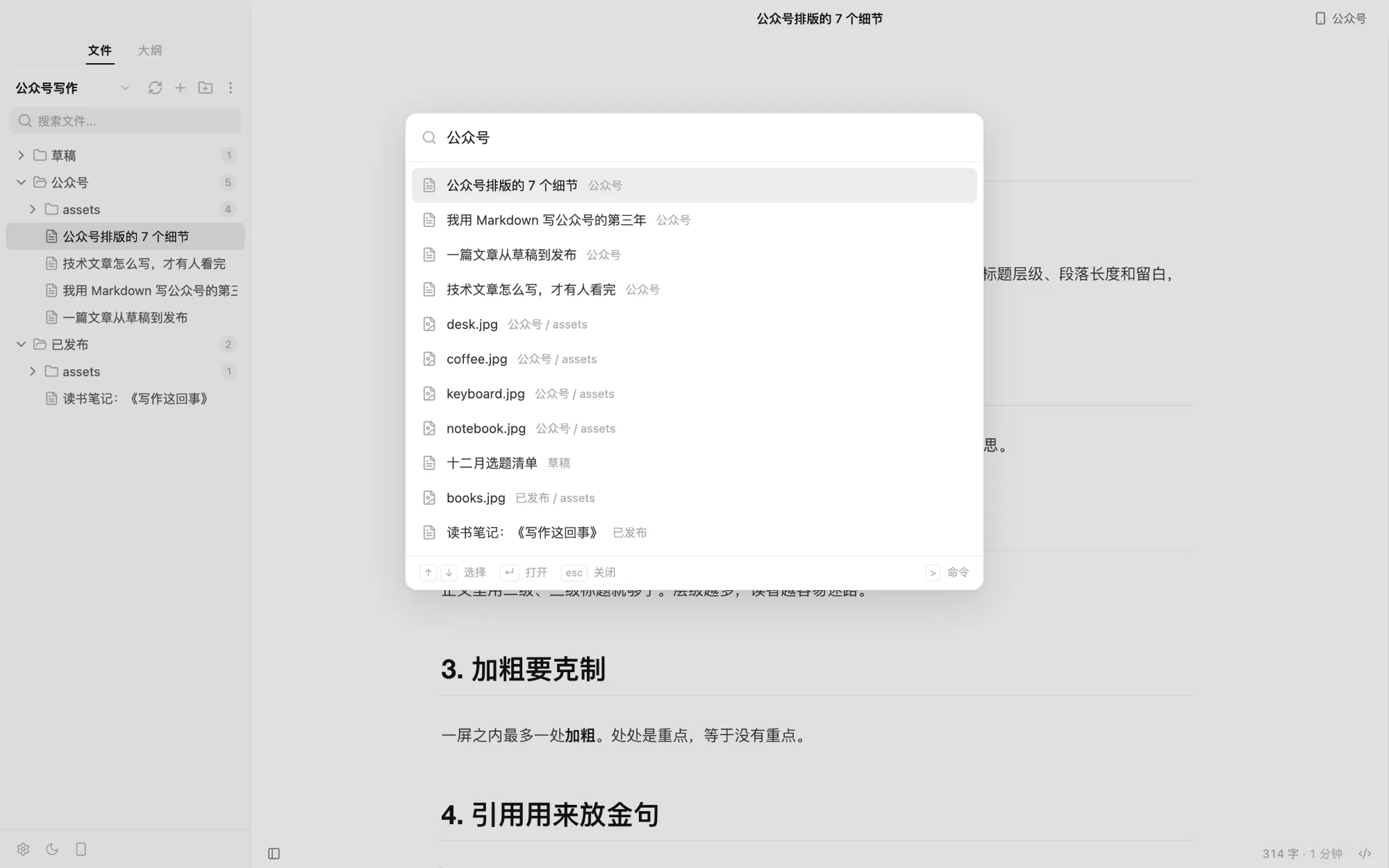
Pasted or dropped images go to assets/ beside the document with a relative path — or to your image host.
Focus mode
Quick open
In the editor · v0.3.0
Everything within reach.
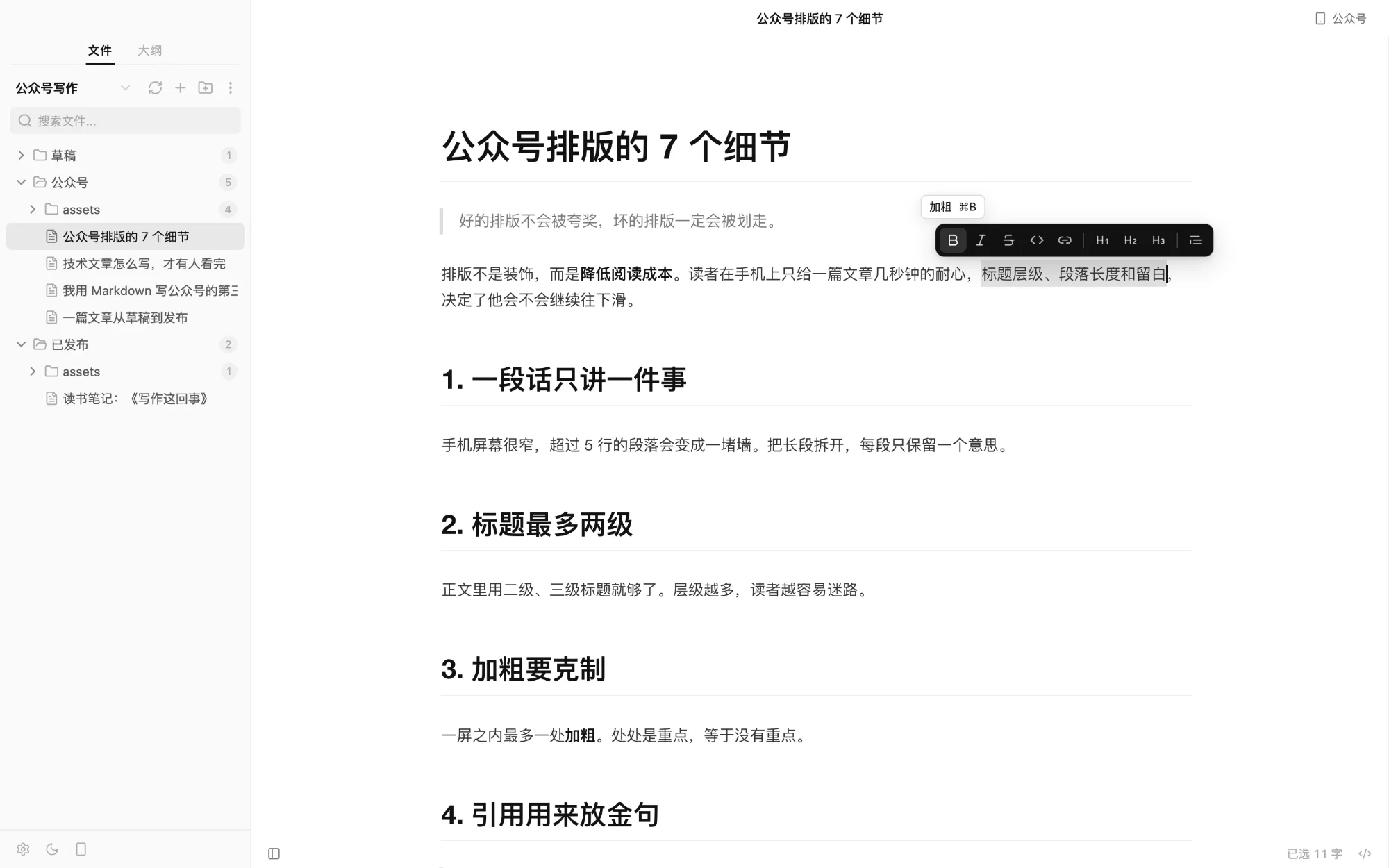
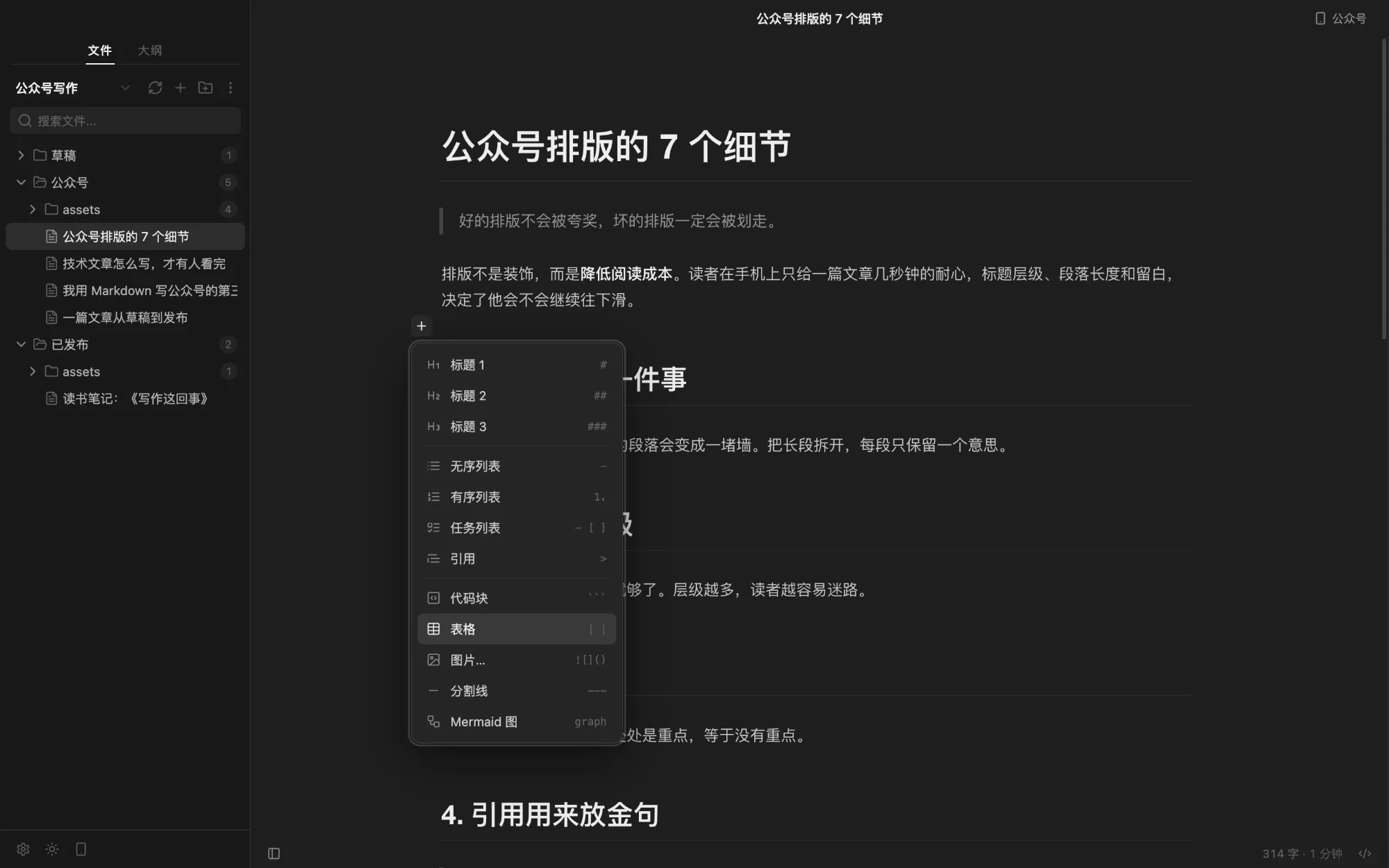
No permanent toolbar. Select text and a floating toolbar appears; rest on an empty line and a “+” shows up; right-click for a native menu. All of them run the same commands as the menus, and all can be undone.
Floating toolbar
“+” insert menu
Floating toolbar
Bold, italic, strikethrough, inline code, link, headings 1–3, quote. Active formats are highlighted; hover for the shortcut.
“+” on empty lines
Insert a heading, list, quote, code block, table, image, divider or Mermaid diagram — arrow keys and Enter work.
Right-click & sidebar
Paragraph, format, insert and proofread on right-click; settings, light / dark and the 公众号 preview at the sidebar’s bottom-left.
公众号 formatting
Done writing? It’s already formatted.
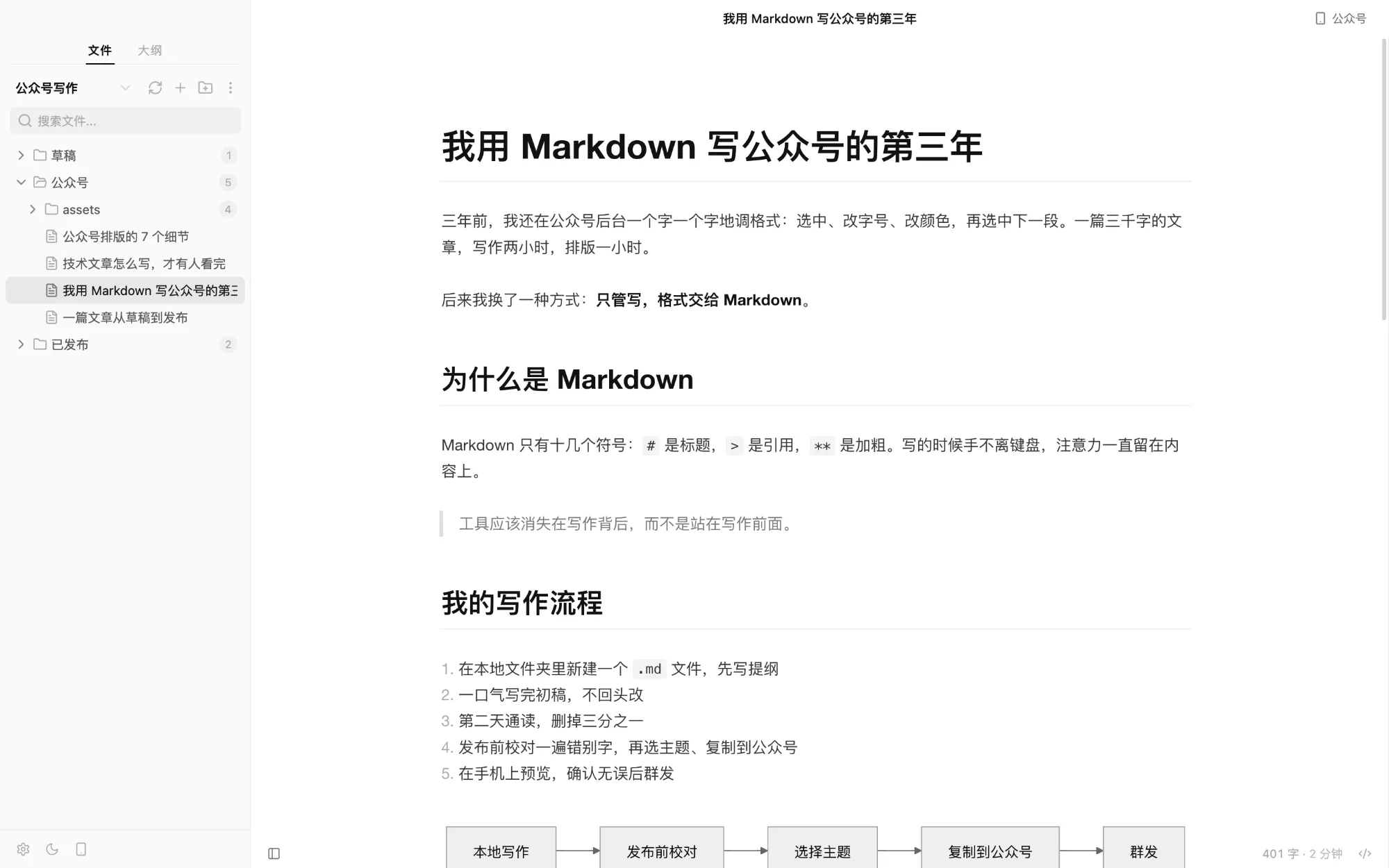
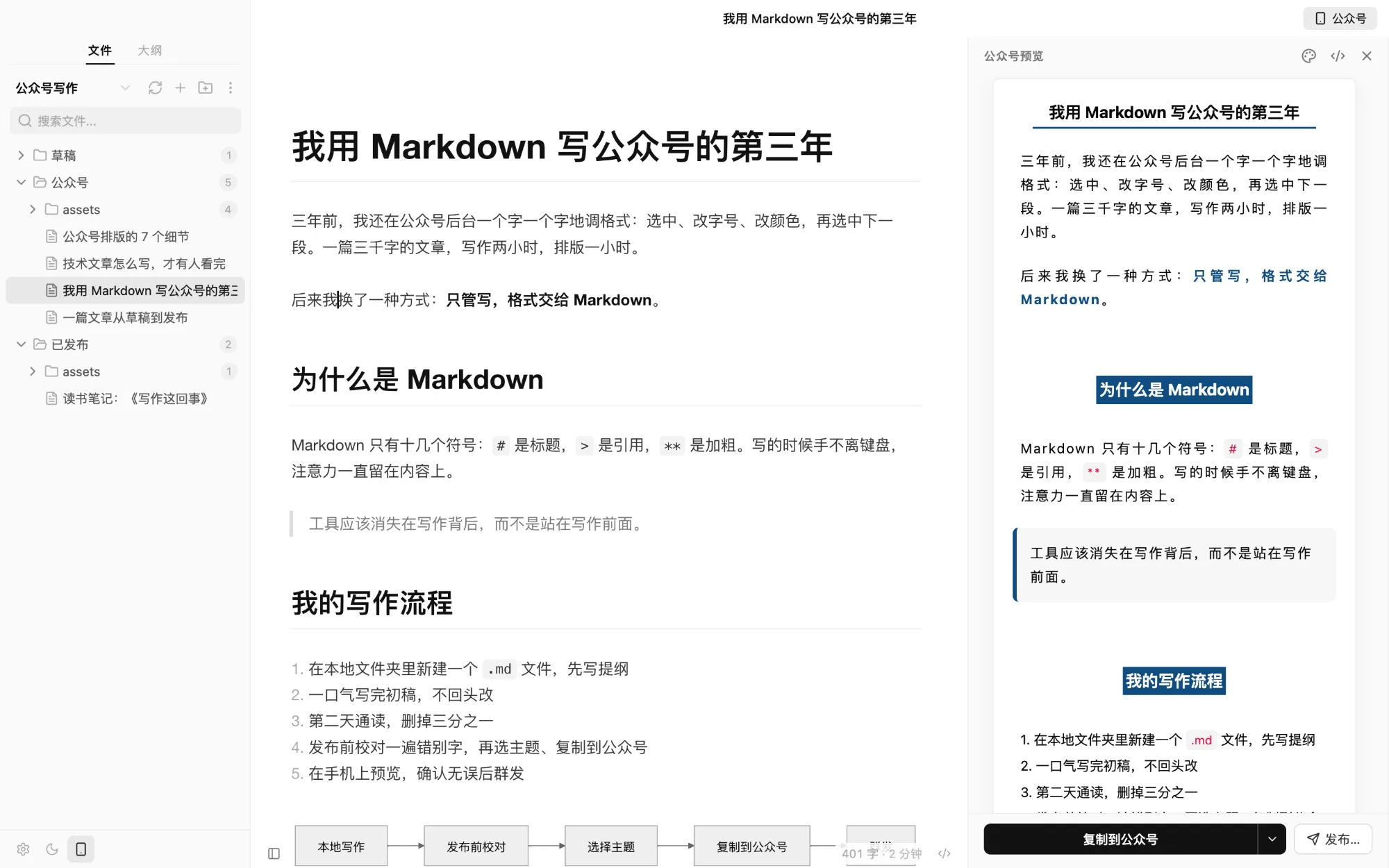
Press ⌥⌘P for the 公众号 preview, pick a theme, click “Copy to 公众号” and paste into the WeChat editor. No more styling paragraph by paragraph.
What you see is what you post
The panel renders exactly as WeChat will; styles are inlined on copy so nothing shifts on paste.
Themes & custom CSS
Three article themes with adjustable font, size, accent colour and code style, plus your own CSS.
Image check
WeChat can’t read local files, so Capydown tells you which images to re-upload in the backend.
Export & Open With · v0.3.0
Not only for WeChat.
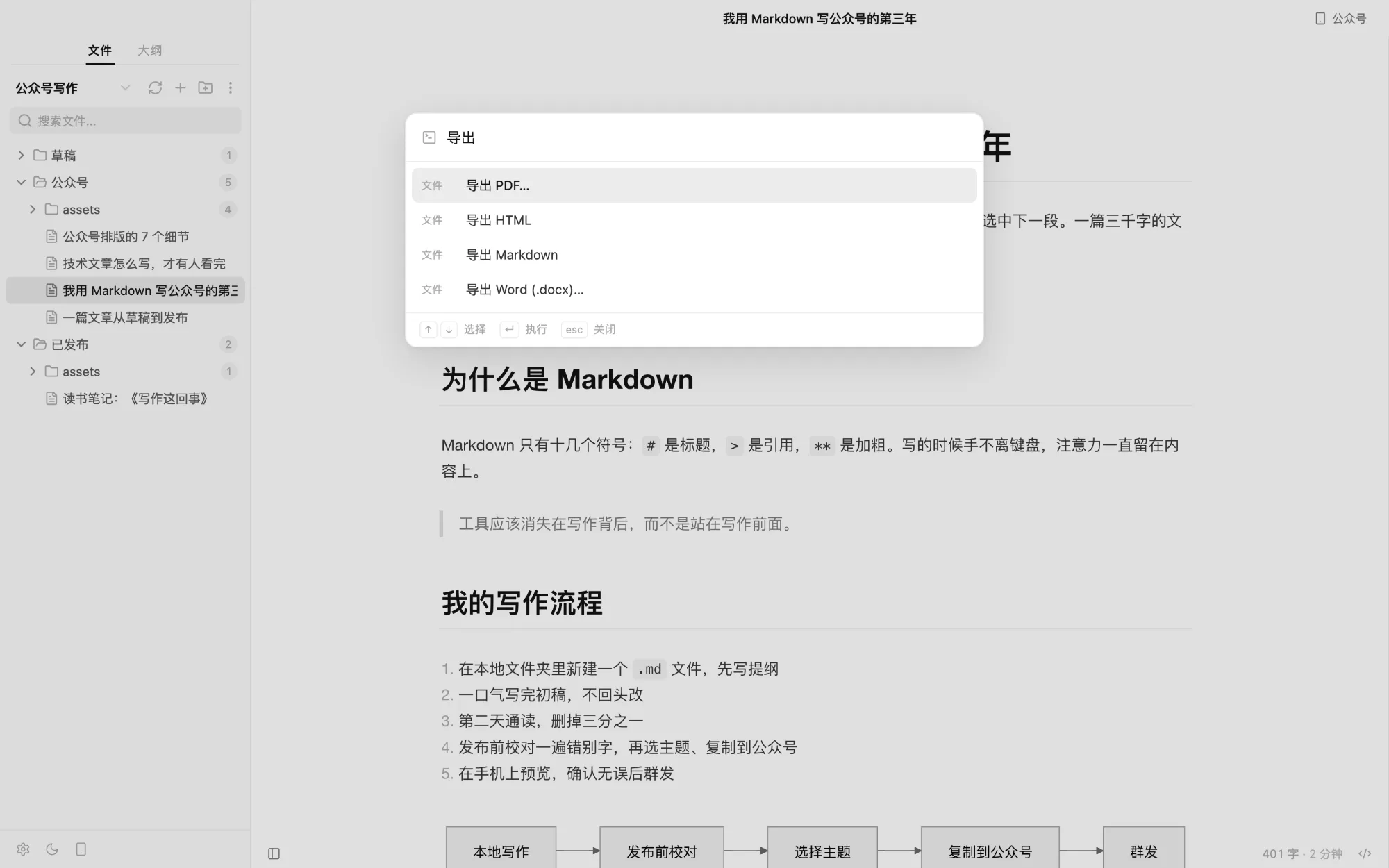
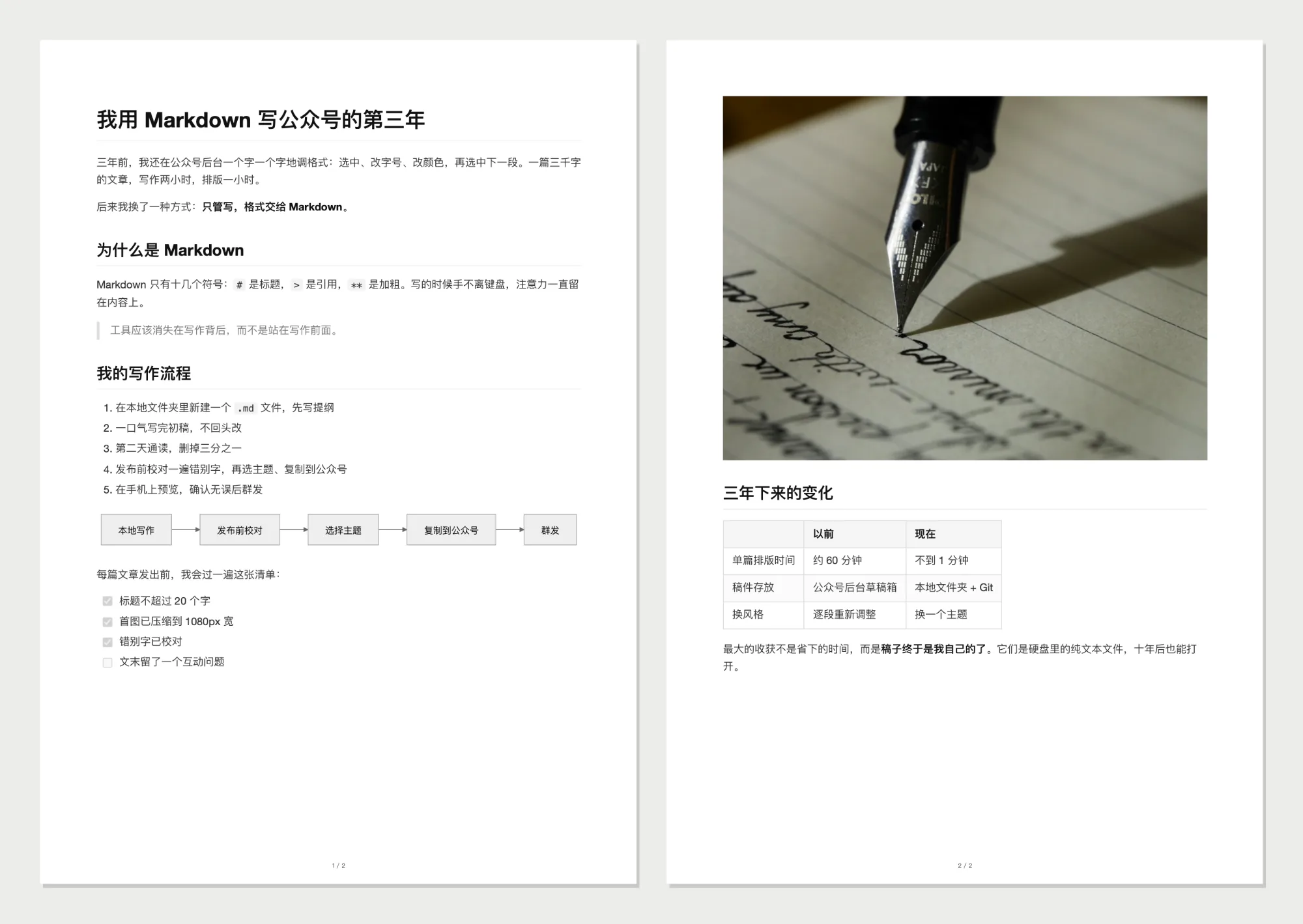
The same draft exports to PDF for your editor or Word for whoever wants to mark it up. Right-click any .md file to open it with Capydown.
Search “导出” (export) in the palette
An exported PDF
PDF
Typeset with the editor theme: A4, page numbers, code highlighting, tables, local images and Mermaid; headings never strand at a page bottom.
Word (.docx)
Heading styles, lists, quotes, code blocks and tables survive; images are embedded and scaled to the page width.
Open with Capydown
Registered as an “Open With” app for .md without taking over the default. Files outside the workspace open with their folder.
Two AI helpers
One more look before it ships.
Once published, WeChat lets you change at most 20 characters of an article. So AI in Capydown does exactly two things, both before you hit publish.
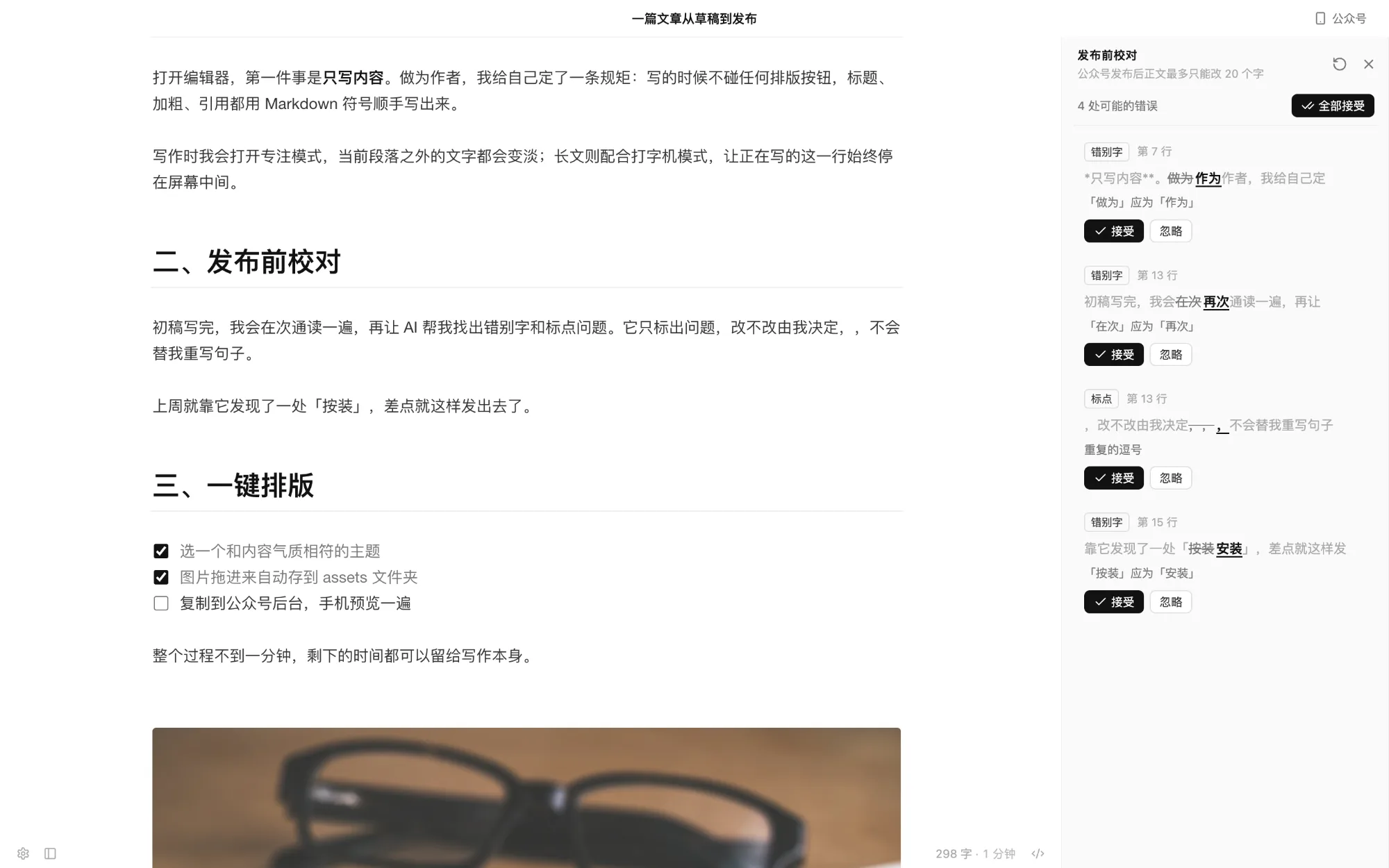
Pre-publish proofreading
Only definite errors, never a rewrite of your voice. Every change is your call.
Typos, grammar, punctuation, repeated words
Jump, accept or ignore; accept all, undo with one ⌘Z
Code, links and front matter are never touched
CJK/Latin spacing is an opt-in style suggestion
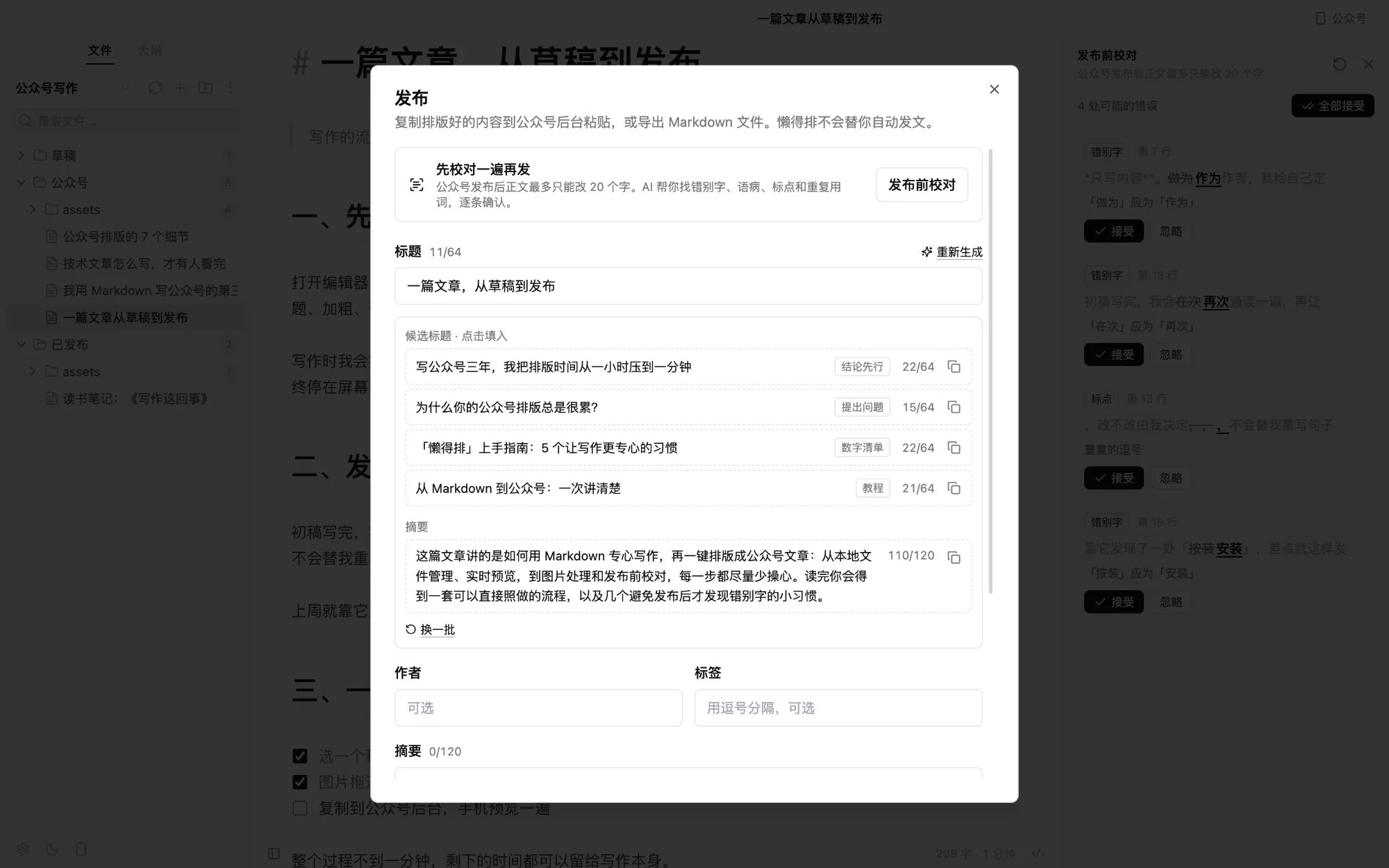
Titles + summary
Candidates drafted from the full text, right in the publish dialog.
3–5 titles, ≤ 64 characters each
A summary of ≤ 120 characters
Click to fill in, or copy for the WeChat backend
Everything else works without AI
Your key. Your text never touches us.
Bring your own API key. Requests go straight from your computer to the provider you choose. Capydown has no server; your key stays on your machine.
Text is sent only when you start a proofread or ask for titles.
Why “Capydown”? What happened to Slothdown and LazyBox?
Capydown is Capybara + Markdown. Capybaras are famous for staying calm about everything — the right mood for focused writing, hence the slogan “Stay calm and write. Capydown does the formatting.” It is the same app as LazyBox / Slothdown (renamed to Slothdown in v0.3.0 and to Capydown in v0.4.0). Existing users just install the new version: the preferences, AI settings and workspace list of the previous version are carried over on first launch, and the old data is left untouched.
Is Capydown related to Typora?
No. Capydown is an independent open-source project that takes Typora as its reference for the writing experience. What it adds is 公众号 formatting and pre-publish proofreading; if you don’t write for WeChat, Typora remains a great choice.
Is it free? Do I need an account?
Free and open source (MIT), no account. AI uses your own API key and is billed by your provider; writing and formatting work fully without it.
Which platforms are supported?
macOS (Apple silicon and Intel) is the primary development and test platform. Windows and Linux builds (Capydown-<version>-…) are produced automatically with each release and are lightly tested — bug reports welcome.
macOS says the app is “damaged”?
The build isn’t signed yet. Move it to Applications and run xattr -cr /Applications/Capydown.app in Terminal.
Images disappear after pasting into WeChat?
WeChat can’t read files on your computer. Capydown warns you before copying; re-upload those images in the backend, or configure an image host (GitHub, Aliyun OSS, Tencent COS, Qiniu, Cloudflare R2 …) so new images upload on paste.
What’s missing compared with Typora?
Tables are edited as Markdown source, math and HTML blocks aren’t rendered, rich text from the web pastes as plain text, and the 公众号 preview scroll sync is one-way. All on the roadmap.